How it works
A real walk, screen by screen.
Actual app screens, captured with fictional properties. Follow the workflow from the first checklist to a signed report, a repair, and the next resident report.
Step 01
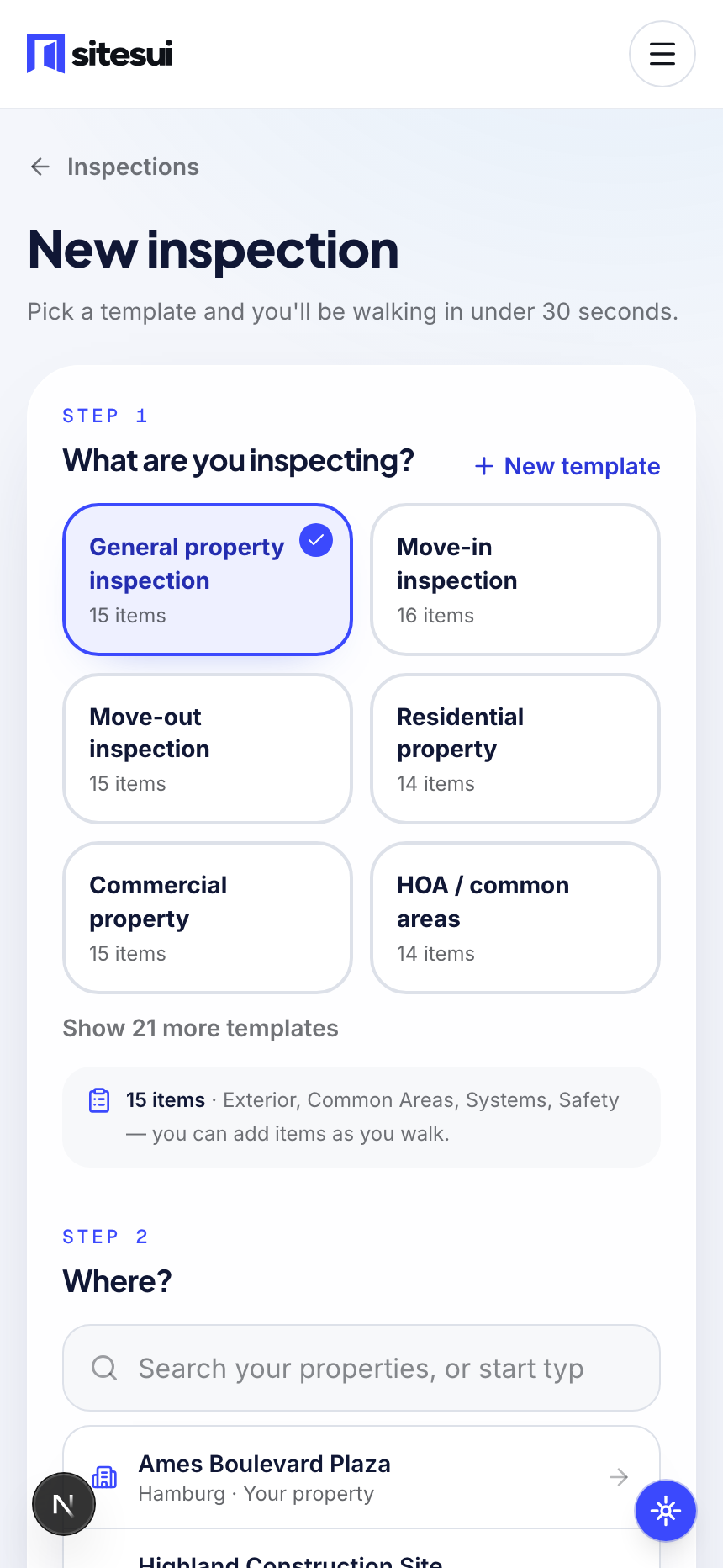
Start from a template
Pick from the built-in library or your own custom template, then search your portfolio — or type a new address on the spot. This is every vertical's actual starting screen: property manager, HOA, inspector, construction super, all the same picker.
Step 02
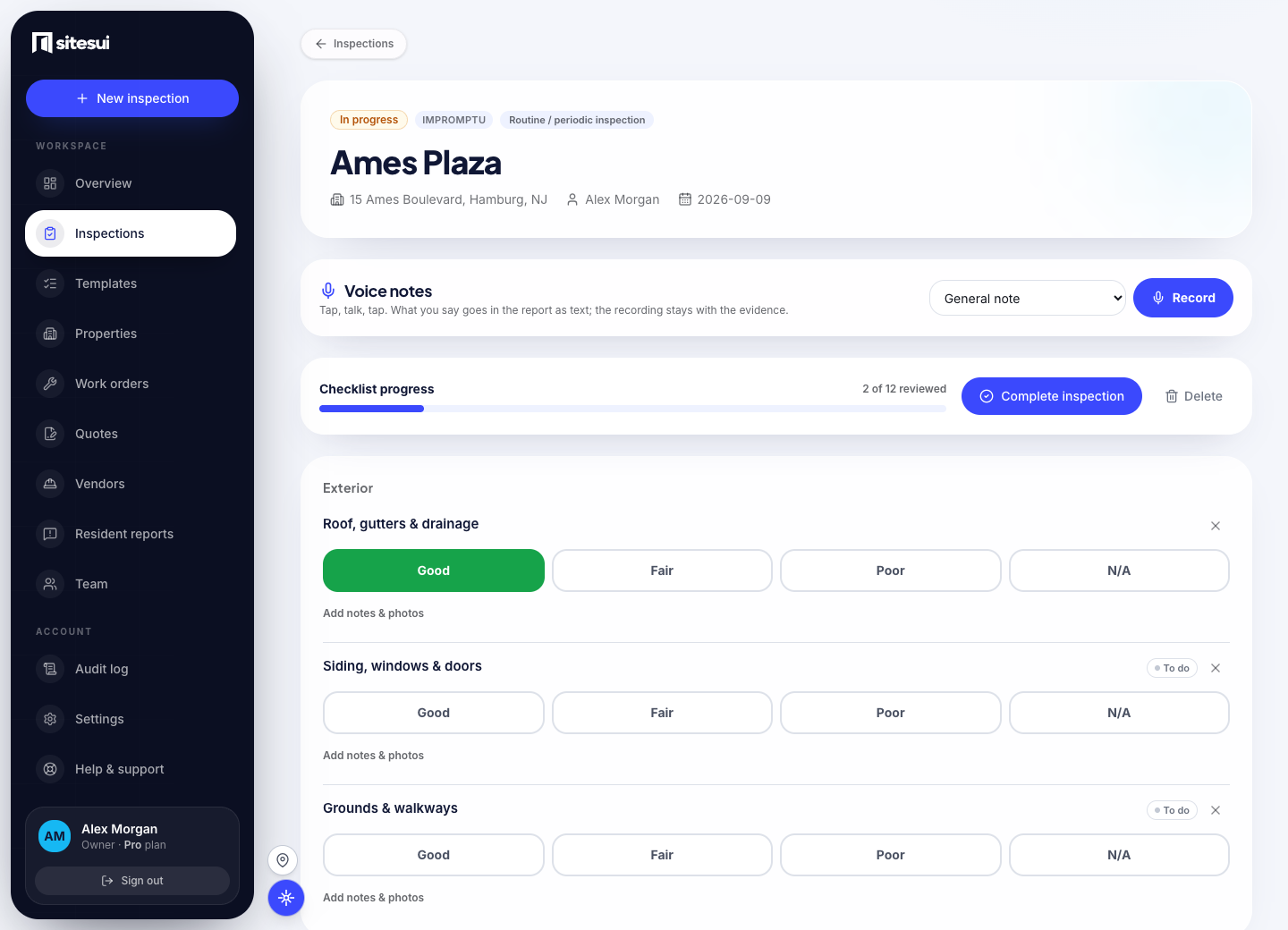
Rate each item while you're there
Rate each item Good, Fair, Poor or N/A, then add notes and photos to record what you found. This demonstration screen shows the exterior checklist at the fictional Ames Plaza property.
Step 03
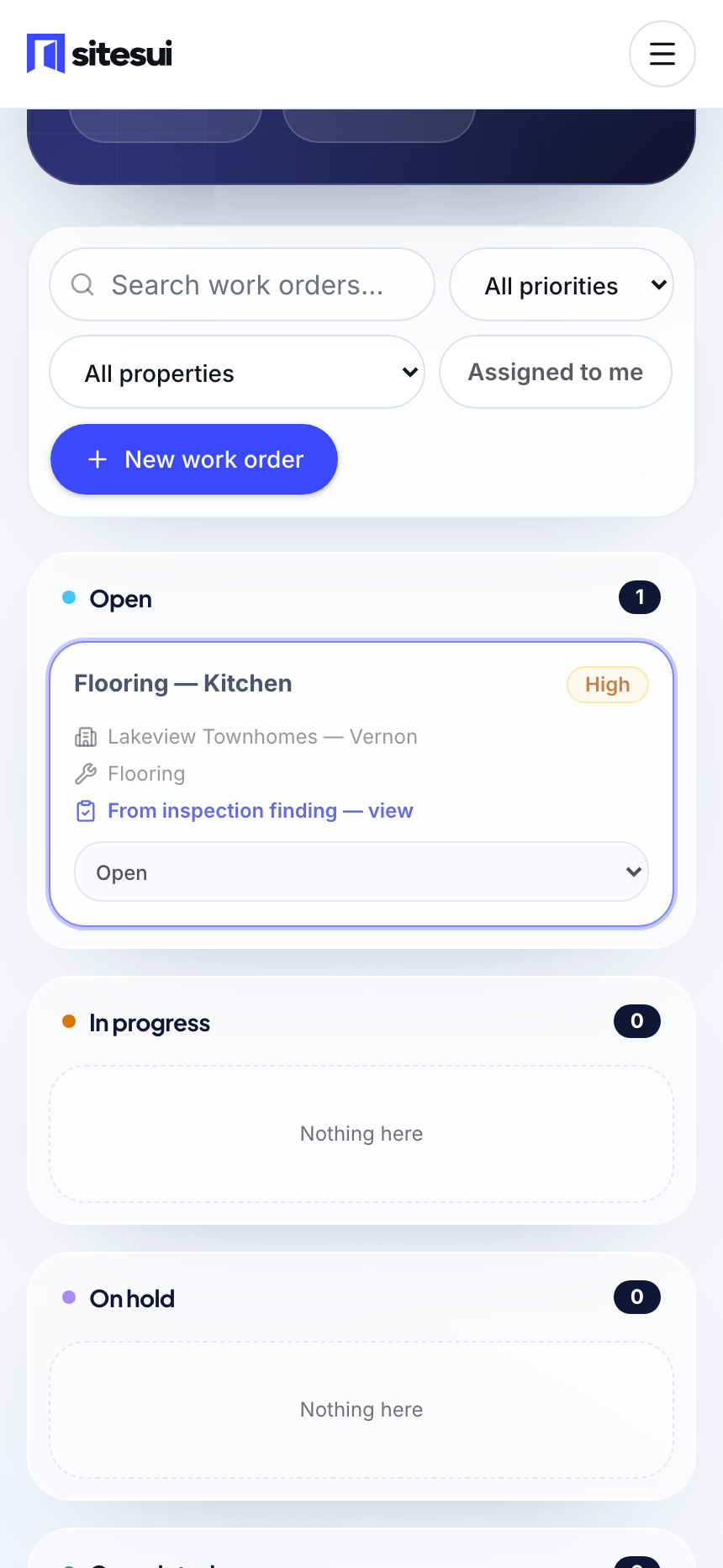
The work order already exists
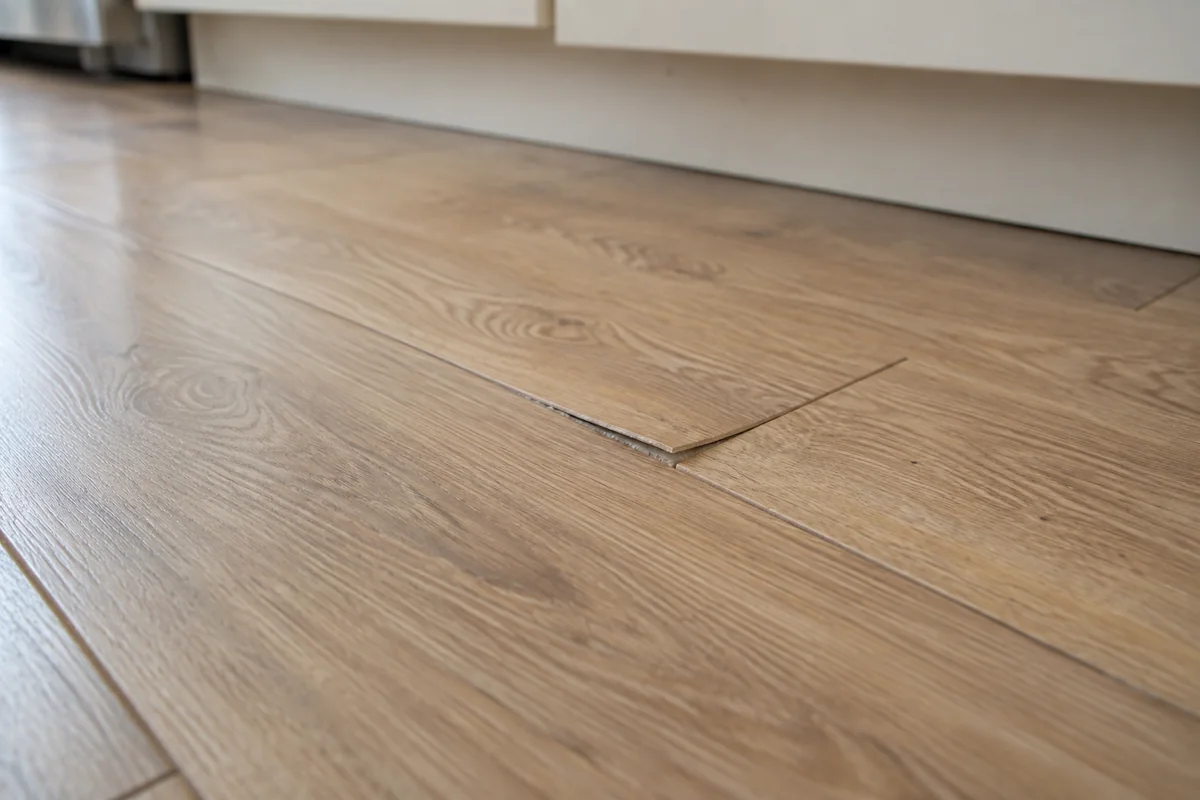
Create a work order from a finding. It appears on the board with the property, the item, a priority, and a link back to the inspection. This separate demonstration shows a flooring repair at Lakeview Townhomes.
Step 04
Complete it — the report already exists too
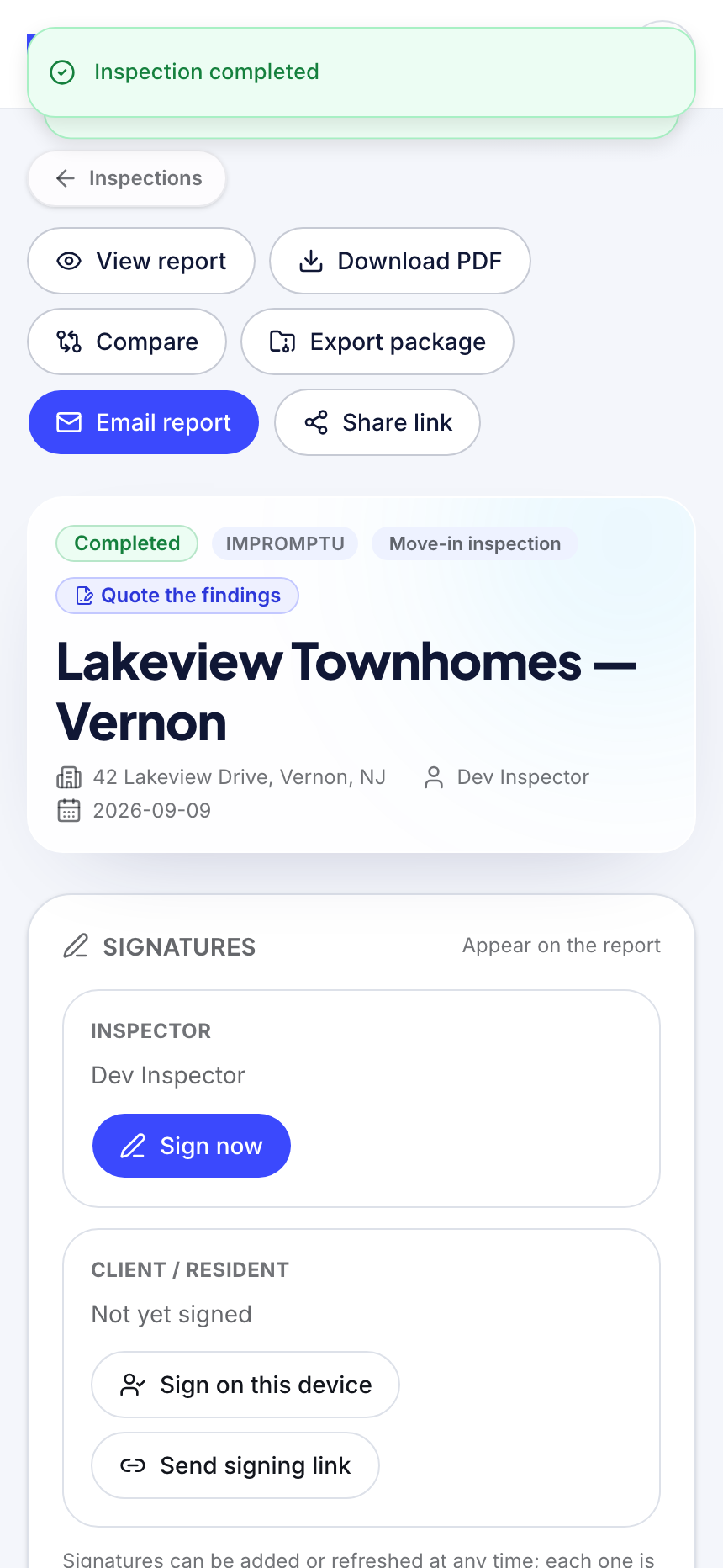
There's no export step. The branded PDF, the share link, the ZIP export, an email-to-owner button and both signature paths are sitting there the second you tap Complete inspection.
Step 05
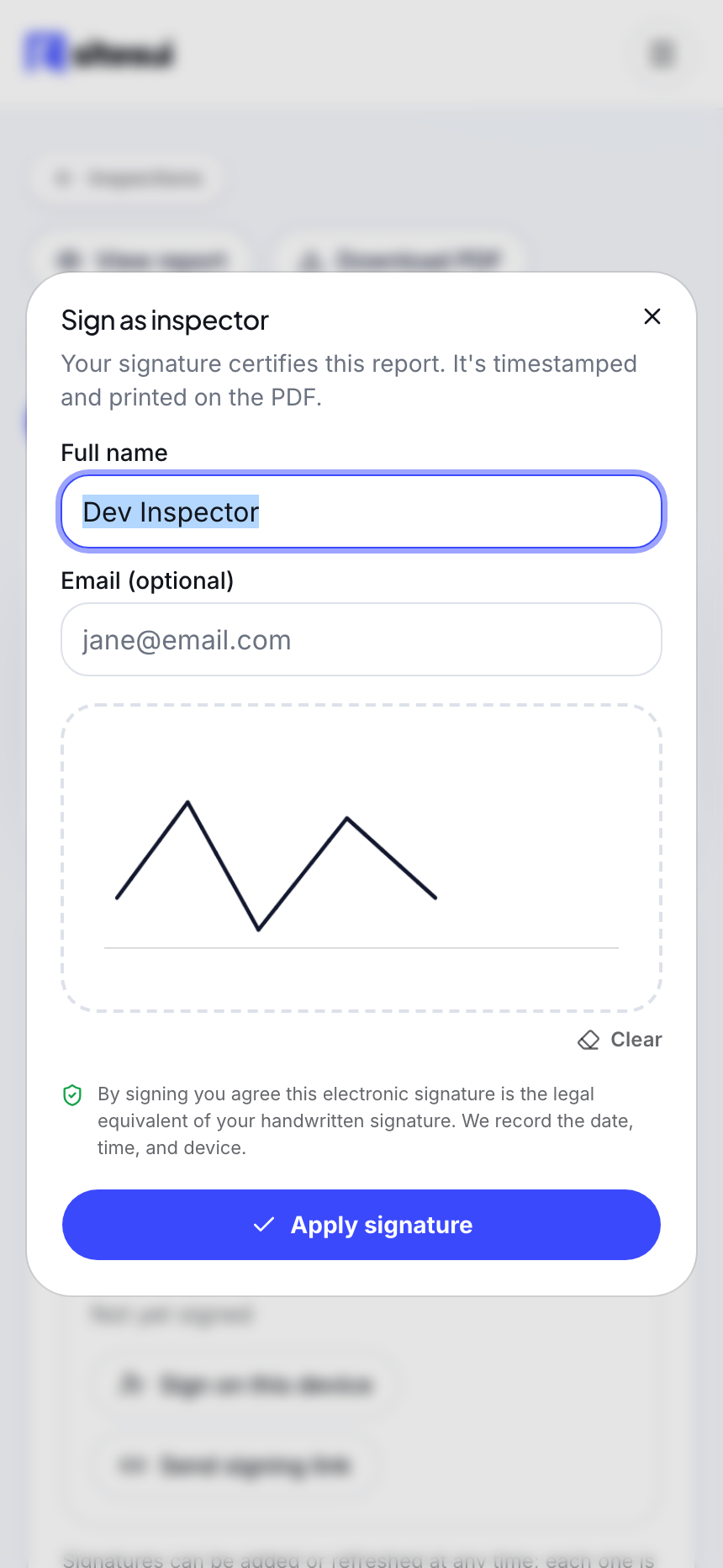
Sign it on the spot
The inspector signs on the same phone; the client signs on that phone too, or gets a link that needs no account. Every signature is timestamped and printed on the PDF — this is the actual signing screen, mid-signature.
Step 06
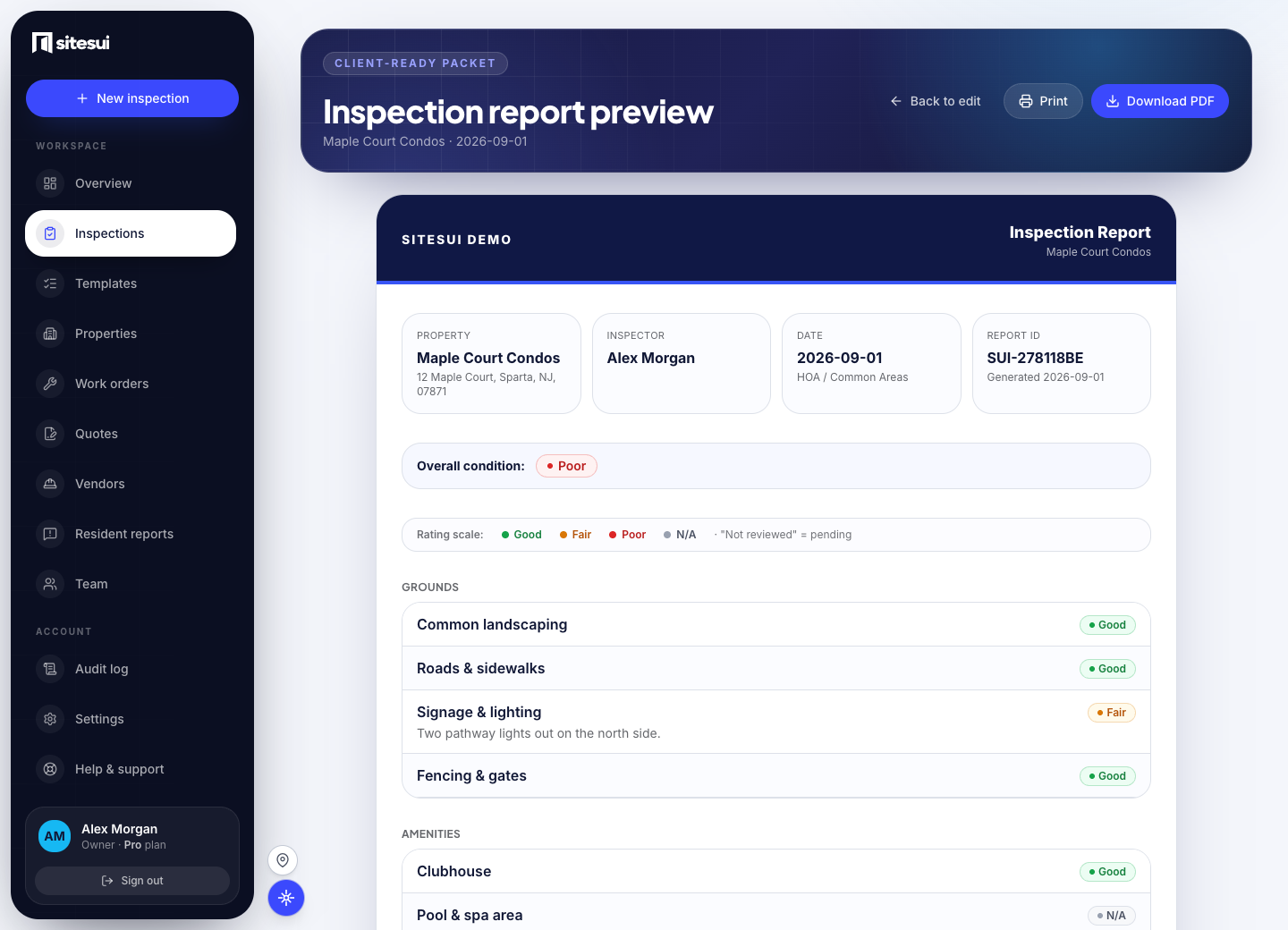
Review the report before sharing
The report brings the property details, ratings, and notes together under your brand. This actual report preview uses the fictional Maple Court Condos property; Print and Download PDF are available above the report.
Step 07
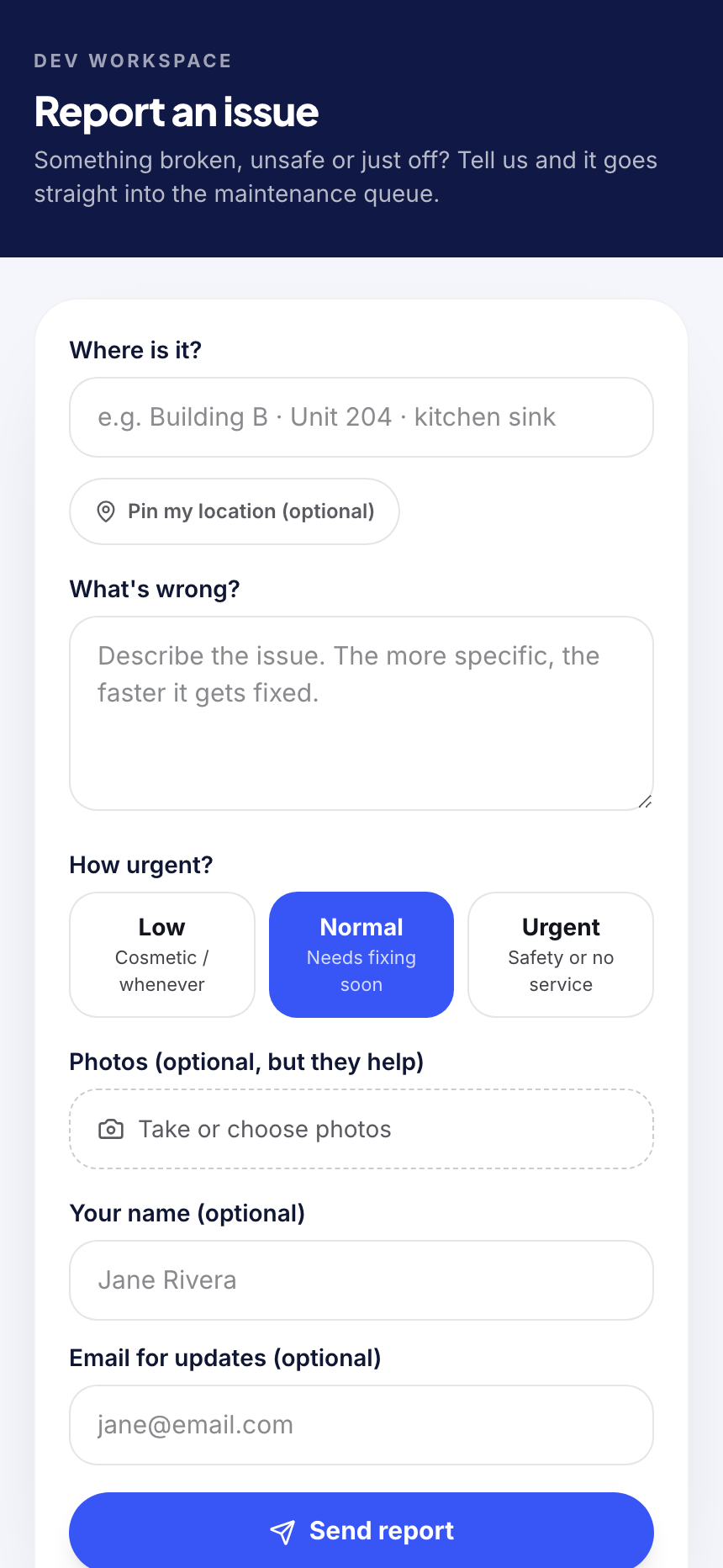
Residents report straight into the same queue
No app, no login, no account for the resident — a QR poster or link opens this form, and what they submit lands in the same work-order queue as anything your own inspectors flag.
Guides
How to run a quarterly store walk program
Cadence, checklist, a store list with numbers and regions, proof the walk happened, coverage by region — eight steps, in order.
Read the guide →Checklist templates
Move-in, move-out, store walk, HOA common areas, Airbnb turnover, punch list, HQS — item by item, with a PDF.
Open the templates →Run this exact walk on your own phone.
Free forever for 3 inspections a month, no credit card — or go unlimited on Pro.
Free: 3 inspections a month on up to 3 properties, no card. Paid plans from $29/month, one flat price for the whole workspace. Pricing