Sample report
The report your board gets, before you've made one.
This is the PDF Sitesui produces when a manager completes a common-area walk: cover, every item with its rating and photos, action items by priority, summary, signatures. Open it, then read what each part is for.
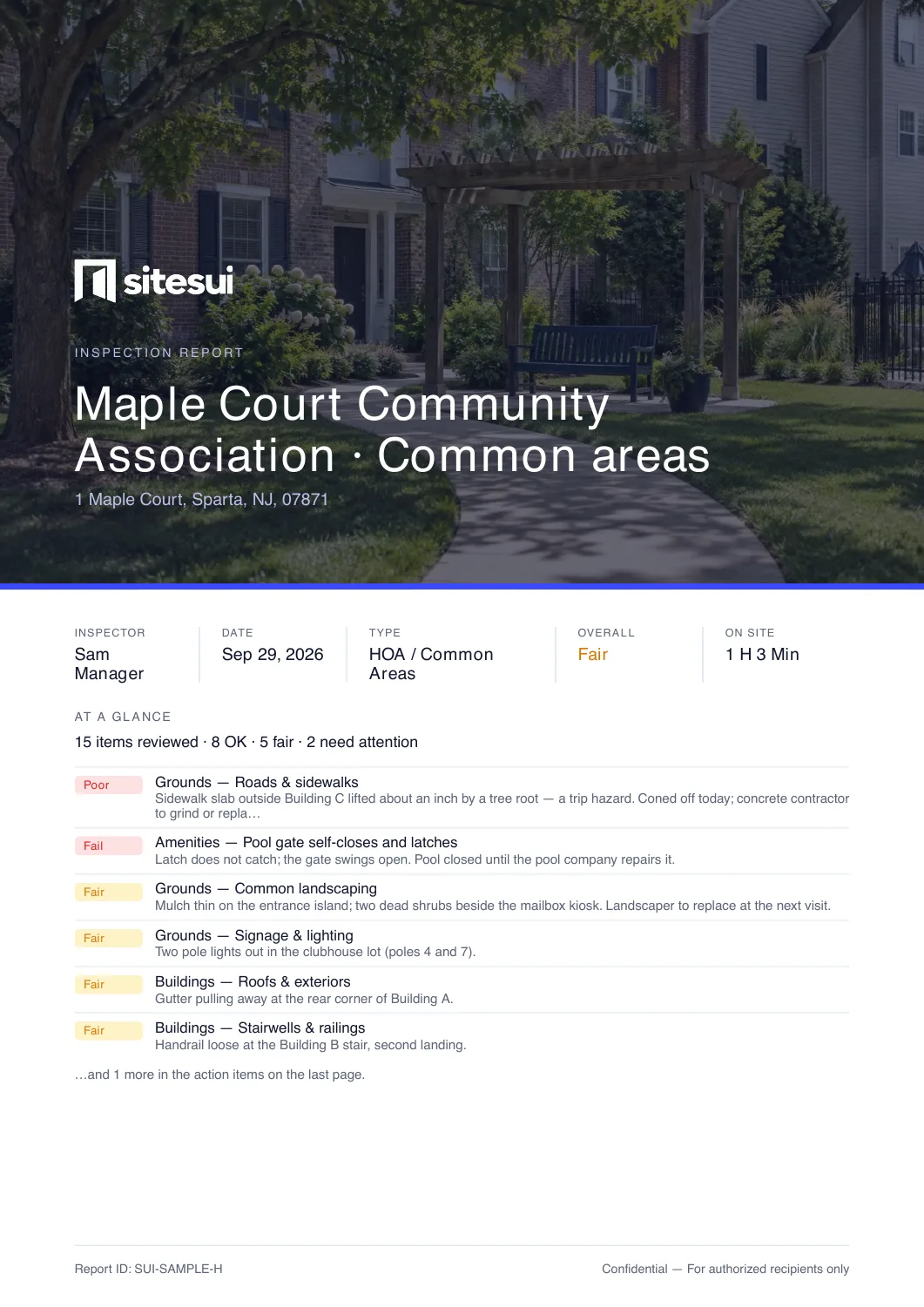
The sample walk: HOA / common areas at Maple Court Community Association · Common areas · 15 items in 5 areas · 2 need action, 5 to watch · 3 photos. Maple Court is a demonstration community; all of it is invented.
Manage rentals too? A second example: Open the rental turnover sample — Turnover / make-ready at 142 Maple Court · Unit 4B, 10 items in 5 areas, 3 need attention.
See it with your brand — a free workspace renders the sample with your logo and colour before you have walked anything.
What's in it
Page by page
In the order the reader meets them.
Cover
Your logo, the property and unit, the inspection type, the inspector, the date, and the overall condition. Below it, a tally of the items reviewed and the action items that need attention, so the person who reads only page one still knows what matters.
Summary
A short written summary generated from the ratings, which the inspector can edit before completing. On the sample it says what the sample is — the address, inspector and findings are invented.
Scale legend
Only the scales the checklist actually used: Good / Fair / Poor / N/A for condition items, Pass / Fail, Done / Not done, or a numeric reading. A punch list does not print a Good / Fair / Poor legend it never used.
The checklist, area by area
Every item with its rating, the inspector's note, and the photos taken on that item, each stamped with its capture time. Voice notes print as transcripts where the phone took dictation; otherwise the note is listed as audio.
Action items
A table of every Fair and Poor item sorted by priority, with area, item and note — the list a maintenance coordinator works from. In the app each row is already a work order if the inspector tapped once.
Signatures
Inspector and client blocks with name, time, method and device. Signed on the phone, or through a link that needs no account. Unsigned blocks print as lines.
Footer on every page
Your business name and contact details, the report ID, and the page count. On the Free plan a small “Powered by Sitesui” sits here; Pro removes it, and Business puts your brand on every page a client opens.
Your brand on it
The same sample, with your logo and color
Nobody should have to complete a real inspection to find out what their reports will look like.
- Create a free workspace — no card.
- Settings → Branding: business name, logo, color, contact line.
- “Download a sample PDF” renders a sample report — the rental turnover — with your brand, unsaved changes included.
- Every real report from then on matches it.
Start from a checklist
What the walk was
The board-ready sample is the HOA / common areas template walked at a demonstration community, with a pass/fail pool gate and a chlorine reading among the ratings. The second sample is the Turnover / make-ready template with a few items changed to show every answer type. 30 templates are built in; each of the checklists below has a page and a printable PDF.
Questions
About the report
Is the sample a real PDF from the app?
Yes. Both samples — the Maple Court common-area walk and the rental turnover — are generated by the same document code that produces every customer report, from fixed sample inspections. Nothing in them is a mock-up; the community, the address, the manager and the findings are invented, and each summary says so.
Can I see it with my own logo and color before I pay?
Yes. Create a free workspace, open Settings → Branding, set your name, logo and color, and the “Download a sample PDF” button renders a sample report (the rental turnover) with your brand on it — before you've completed an inspection of your own.
Can I change what the report includes?
The checklist is yours to change — any of the built-in templates or your own sections and items. Report options let you hide N/A items and photos; a license line can print under the inspector. The layout itself is fixed so every report from your workspace reads the same.
How does the client receive it?
As a link that opens in any browser with no login, as an email with the PDF, or as a ZIP with the photos and a manifest. Links expire and can be revoked.
See a report with your name on it.
Free workspace, no card. Set your brand and download a sample before your first walk.
Free: 3 inspections a month on up to 3 properties, no card. Paid plans from $29/month, one flat price for the whole workspace. Pricing