Inspections
A property inspection app for your phone
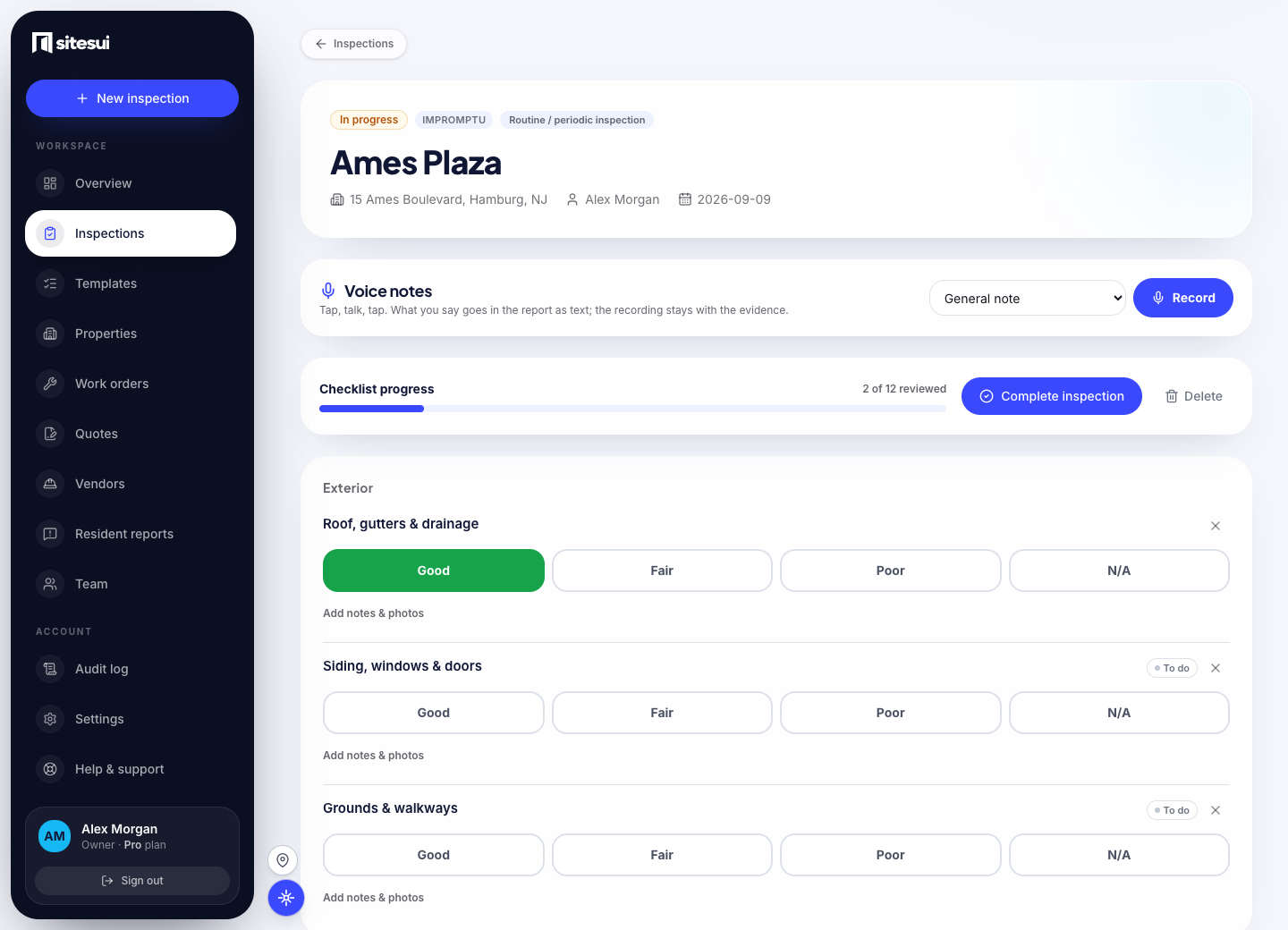
A walkthrough that keeps up with you. Sitesui's inspection is a checklist you walk on a phone: every item gets a rating, a note, photos or a short video, and the whole walk syncs when you are back on signal.
How it works
30 templates, or build your own
Move-in, move-out, routine, turnover, HOA common areas, HQS, HVAC, roof and more — or design your checklist once and reuse it forever.
Rate with a thumb
Good / Fair / Poor / N/A as big color-coded targets. Flag a problem and notes + camera open right there.
Photos, video, annotation
Capture photos or short clips per item, add captions, and draw arrows, circles and labels right on the photo.
Address autocomplete
Type an address and pick the match — clean, consistent property records without retyping.
Routine walks that don't slip
Set a cadence per property — quarterly, annual, whatever the lease or lender wants — and Sitesui tells you what's due and what's overdue.
Who uses it
What it does not do today
- It runs as an installable web app, not a store app; a native iPhone app is on the roadmap.
- Voice notes are transcribed on the phone where its browser takes dictation, otherwise by a speech service when one is configured; failing both, the audio is kept until someone types it up.
- Location on a photo needs the phone's permission; when it is denied the report says so rather than guessing.
- Templates are checklists, not official forms — an HQS or fire-safety template is a visual walk, not the certified inspection.
The limits are stated so the rest can be believed. When one changes, the changelog says so.
Questions people ask
- How do I do a property inspection on my phone?
Open Sitesui in your phone's browser, pick a template, type the address and start walking — one tap rates each item, the camera button adds photos, and Complete produces the branded PDF. There is nothing to install and the first 3 inspections a month are free.
- Does Sitesui work offline, in a basement or a stairwell?
Yes — ratings, notes, photos and Complete are saved on the phone when there is no signal and sent when it comes back, in order. The page you were on keeps working; a status line says what is queued.
- Are inspection photos timestamped and location-stamped?
Yes — every photo records when the shutter fired and, if the phone allows location, where the inspector stood, and the report prints both. That is what turns a photo into evidence in a deposit dispute or a franchise audit.
- Can I add voice notes instead of typing?
Yes — hold the microphone on an item or on the walk and speak; the recording is saved as a voice note on that finding, plays back from the inspection page and prints in the report with its words. The words come from the phone's own dictation where its browser supports it (Chrome on Android, most current iPhones), otherwise from a speech-to-text service when one is configured, and failing both the note stays audio until someone types it up.
- What happens if my phone dies or I close the tab mid-inspection?
Everything rated or photographed before that point is already saved — each tap is its own save, so there is no draft to lose. Reopen the inspection on any device and carry on from the last item.
Start a free inspection
Sitesui is free to start; every plan is priced on the pricing page.
Free: 3 inspections a month on up to 3 properties, no card. Paid plans from $29/month, one flat price for the whole workspace. Pricing