Work orders
Work orders from inspection findings
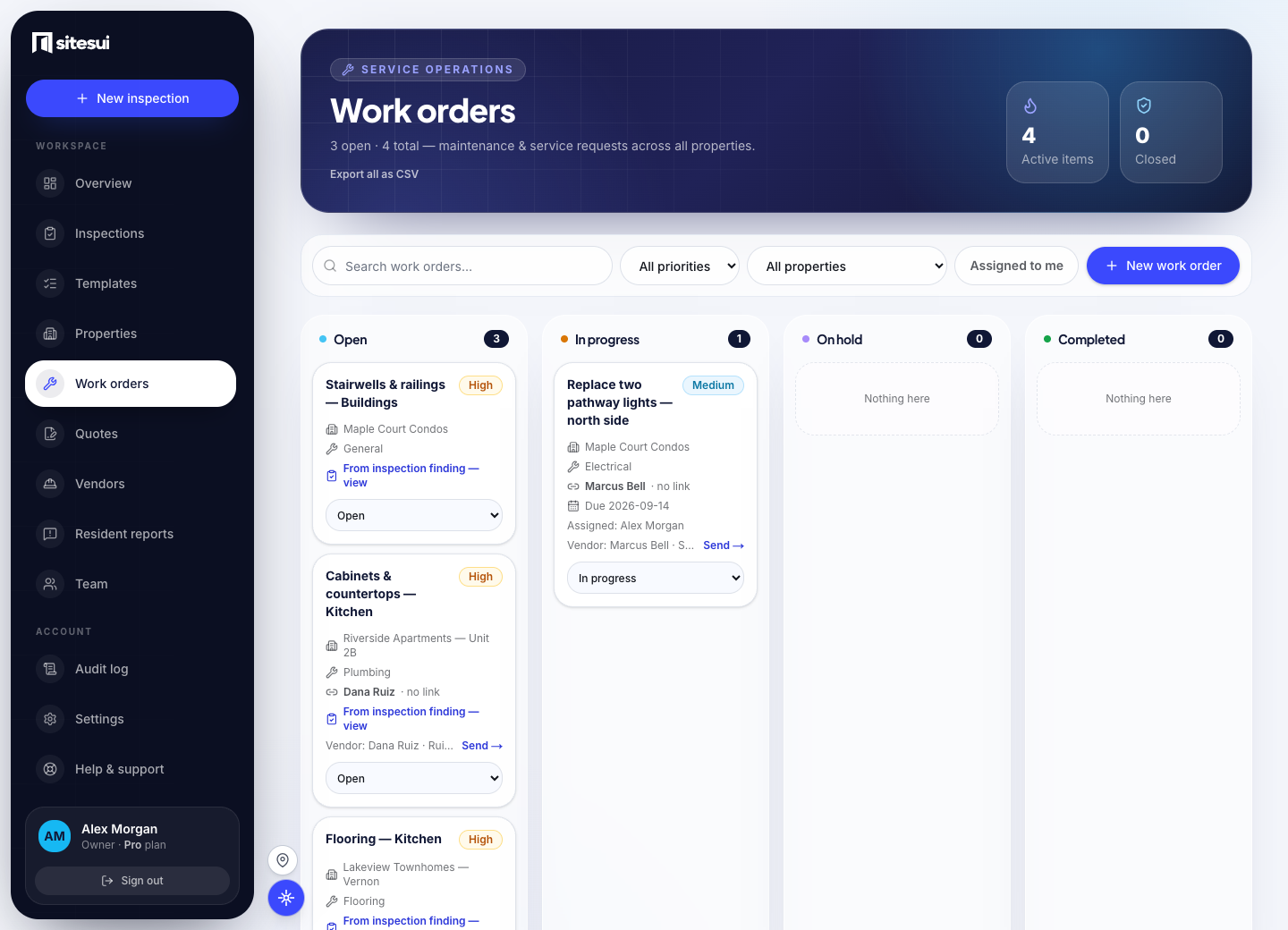
Track the repair from the finding. A work order in Sitesui starts from a finding: the photo, the note and the rating come with it, a vendor gets it by email with a link, no account needed, and the completion photo closes it against the original evidence.
How it works
One-tap from a finding
A Poor-rated item becomes a work order without re-entering a thing.
Assign and prioritize
Set the trade (plumbing, HVAC, electrical), a priority, an owner, and a due date.
Tracked to done
Open, in progress, complete — a status every stakeholder can see, not a note in someone's inbox.
A documented trail
Keep the original finding, repair updates, and completion photos connected.
Who uses it
What it does not do today
- Vendors reply through their link; there is no vendor app and no vendor login.
- There is no sync to a property-management or accounting system today — work orders export as CSV and fire a webhook.
- Sitesui sends the assignment and tracks it; it is not a contracting service — it does not choose, invoice or pay the vendor for you.
- It is not a CMMS: no asset register, meters, parts inventory or purchase orders. A work order can repeat on a property every few months; that is the whole of the scheduling.
The limits are stated so the rest can be believed. When one changes, the changelog says so.
Questions people ask
- Is Sitesui work order software, or a CMMS?
Sitesui is inspection software with work orders built in: a finding on a walk becomes a work order in one tap, goes to a vendor by link or email, and is marked done and then verified fixed. It is not a CMMS — there is no asset register, parts inventory or preventive-maintenance scheduling.
- How does a finding become a work order?
Rate an item Poor and the work-order button is right there: one tap creates the order with the photo, the note, the property and unit already on it. Assign it to your own team, dispatch it to a vendor, or find a crew for that trade near the property.
- How does vendor dispatch work — do vendors need an account?
No account: the vendor gets an email with a link to the order — photos, address, access notes, the ask — and answers from that link: accept, an ETA, a price, done with photos. Everything they say lands on the order.
- Can vendors reply by text message?
Not right now: texts are paused while our text-message number finishes carrier verification, so the job goes by email with a link the vendor answers from. From that link — no account — they accept, give an ETA or a price, or mark it done with photos, and it lands on the order the same way.
- Does Sitesui integrate with AppFolio, Buildium, Yardi or Rent Manager?
Not natively — today the bridge is CSV both ways (properties in, inspections and reports out) and webhooks that fire on completed inspections and work-order events. Connectors to those systems are on the roadmap; none is live, and we would rather say so than sell one.
Try it on a sample walk
Sitesui is free to start; every plan is priced on the pricing page.
Free: 3 inspections a month on up to 3 properties, no card. Paid plans from $29/month, one flat price for the whole workspace. Pricing