Pinpoint — resident reporting
Resident maintenance reporting by QR code
Let residents report what they see. Pinpoint is the door residents and homeowners use between inspections: a branded page from a link or a QR sticker, a photo, where it is and how urgent, and it arrives in your inbox one tap from a work order.
Try it · no account
Scan the lobby poster. Watch it land on your desk.
You are the resident on the left and the manager on the right. Send a report with a photo, make it a work order, and see what the resident sees at every step.
- Resident reports
- You dispatch
- Vendor fixes
- Resident confirms
The resident’s phone
Maple Court Community
Report an issue
You scanned the poster in the Lobby, so the location is already filled in.
Photos — pick a sample, or try your own
How urgent?
Pick a sample photo to fill this in, or write your own.
No app, no account. Name and email are optional on the real form.
Your inbox, same moment
Resident reports
Nothing new
Waiting for the resident.
Pick a photo on the phone and send it. The report shows up here the moment it lands.
Everything here runs in your browser and nothing is saved. Maple Court, the vendor and the sample photos are made up. The screens match the real ones. In the product the suggestion is written by AI from the resident’s words, not the photo, and nothing happens until you confirm it.
How it works
A link, a poster, or per-area stickers
Your branded report page, no app and no login. Share the link, print the lobby poster — or print per-area QR stickers: the sticker on the boiler-room door pre-fills the location, so a resident just adds a photo and taps send.
Location, photos, urgency
Every report says where it is, what's wrong, how urgent (low / normal / urgent) and can include up to 5 photos — plus an optional GPS pin, so "building B" becomes a map link.
One inbox, sorted
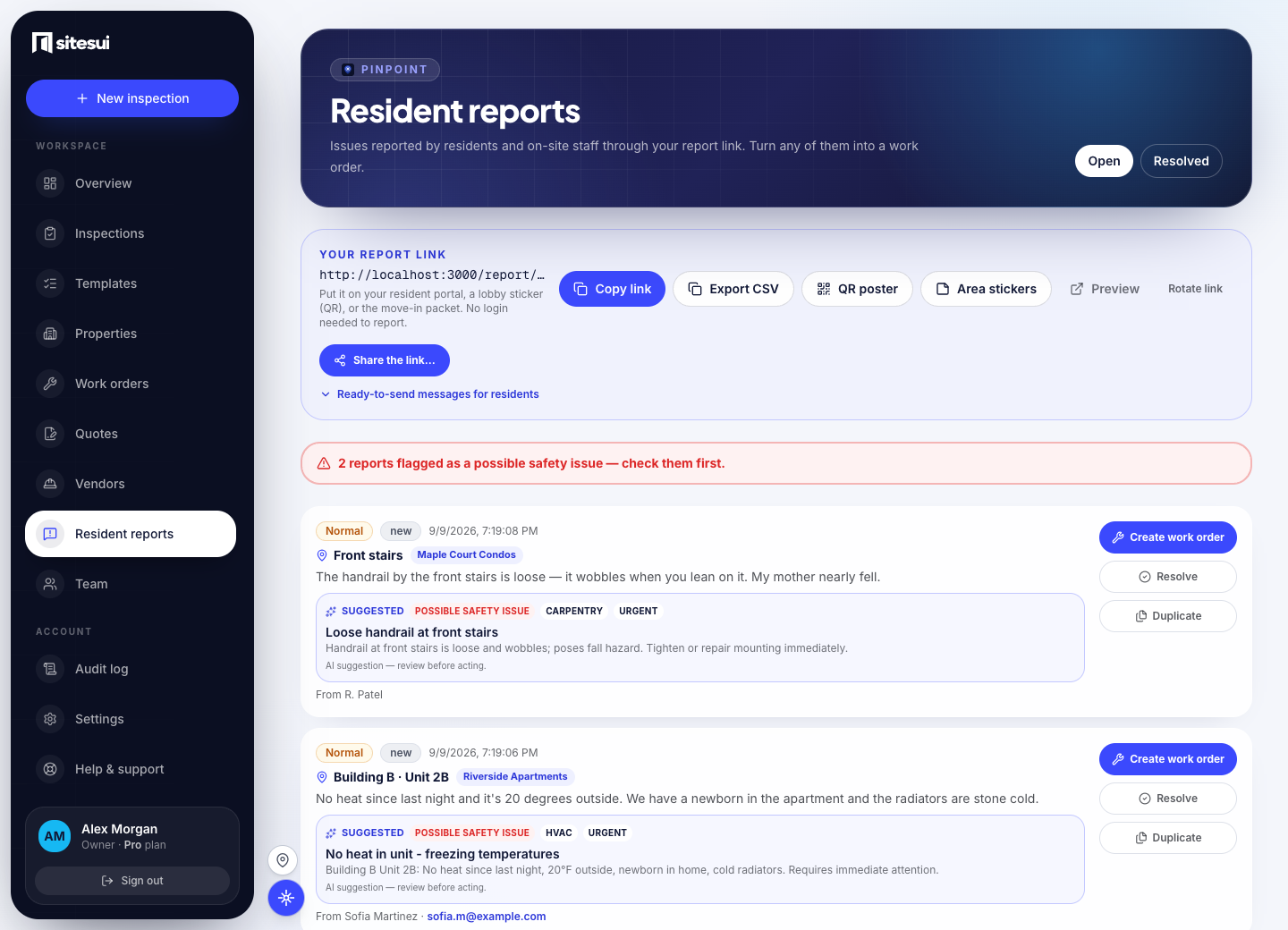
Open and resolved views, urgency at a glance, the reporter's contact if they left one — and a photo you can act on. Residents get a reference, a status page, and a “we're on it” email the moment work starts — fewer “did you get it?” calls.
Into the same queue
Tap once and a report becomes a work order — the same pipeline as an inspector's finding, linked both ways.
What it does not do today
- It is for problems with the property, not emergencies — the form says to call emergency services for fire, gas or danger.
- Reports that mention gas, smoke, water or exposed wiring are flagged as safety risks and rise to the top; when AI is available it also suggests trade and urgency for a person to confirm. Either can be wrong, and neither acts on anything by itself.
- Residents are not tenants of the app: they get a reference and a status page, not an account.
The limits are stated so the rest can be believed. When one changes, the changelog says so.
Questions people ask
- How can residents or tenants report a problem?
Pinpoint: a link or a QR code (lobby poster, per-area stickers, a move-in packet) opens a short form — where, what, a photo — with no app and no login, and the report lands in your inbox one tap from a work order. Residents can report anonymously.
- How are emergency resident reports handled?
The form tells residents to call for anything dangerous and shows your number; what does arrive and mentions gas, smoke, water or exposed wiring is flagged as a safety risk and rises to the top, so a gas smell surfaces above a dripping tap (when AI is available it also suggests trade and urgency), and the alert reaches your team by email and push at once. Sitesui is not an emergency line and says so.
- Can a resident see what happened to their report?
Yes, if they left an email: a receipt when it arrives, a note when it is in progress, and one when it is resolved — each from your workspace's name, with a status page they can open. Anonymous reports have no way back to the sender.
- Can homeowners report common-area problems by QR code?
Yes — a poster in the clubhouse, stickers at the pool, the mail room and the gate, or a link on the community site open a short form (where, what, a photo), no app, no login, optional name; it lands in your queue one tap from a work order. The homeowner gets a receipt and the outcome if they left an email.
Get your link and QR poster
Sitesui is free to start; every plan is priced on the pricing page.
Free: 3 inspections a month on up to 3 properties, no card. Paid plans from $29/month, one flat price for the whole workspace. Pricing