THE PRODUCT
Field inspection software:
the walk, the report, the work that follows.
Keep the details where your team can use them. Take a look inside Sitesui, from an inspection on site to a repair back at the office.
THE APP, AT WORK
From first look
to follow-through.
One place for what you found,
what you shared, and what happens next.
The details belong with the inspection.
Rate each item, add a note, and capture the evidence while you’re standing in front of it. Work offline and sync when you’re connected again.
Explore inspections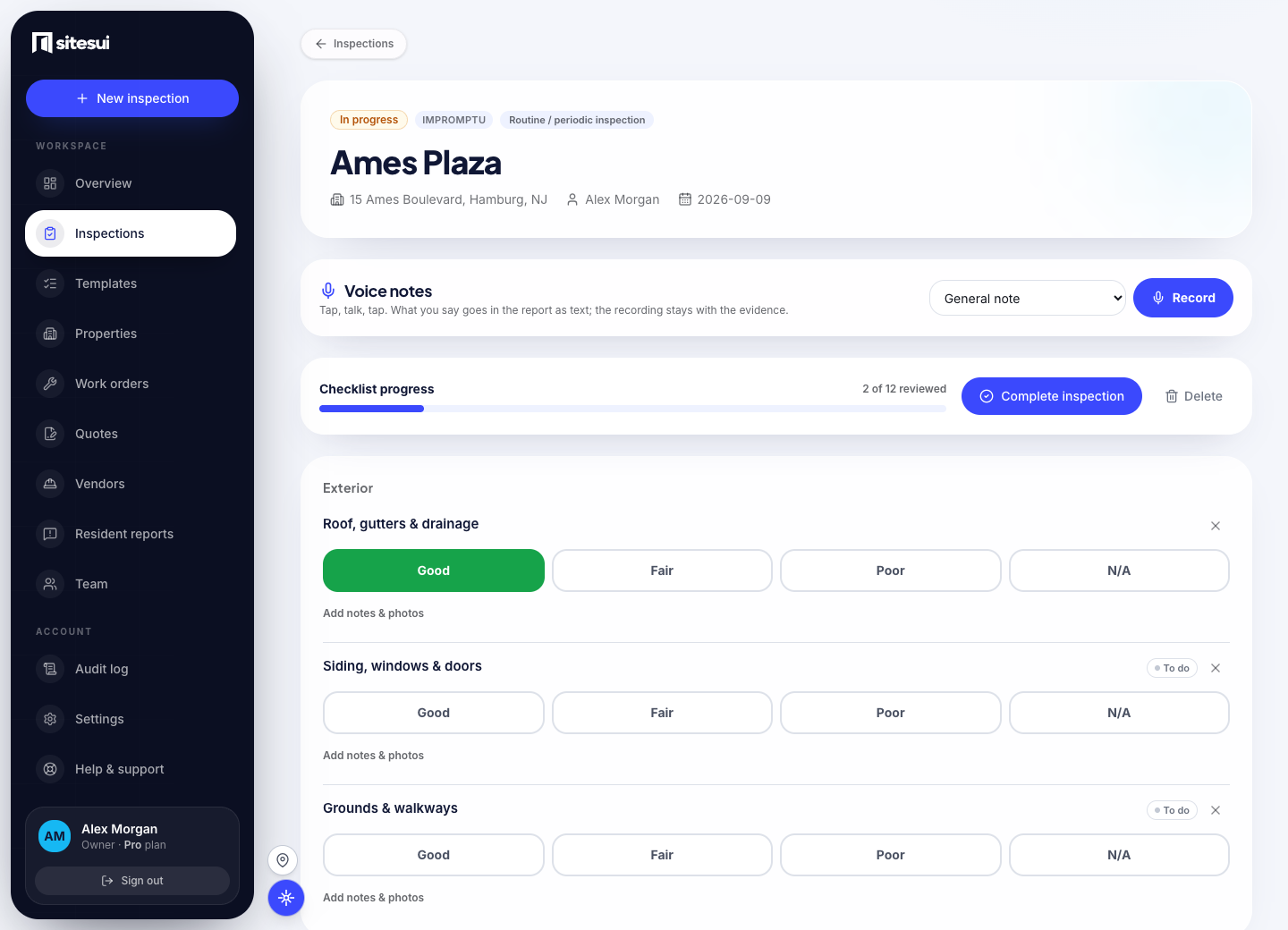
Actual Sitesui screens. Demonstration data. Select an image to view full size. Features vary by plan.
A walkthrough that keeps up with you
Use the same checklist on every visit. Rate each item, capture photos or short videos, and keep notes attached to the condition you found.
- 30 templates, or build your own
Move-in, move-out, routine, turnover, HOA common areas, HQS, HVAC, roof and more — or design your checklist once and reuse it forever. - Rate with a thumb
Good / Fair / Poor / N/A as big color-coded targets. Flag a problem and notes + camera open right there. - Photos, video, annotation
Capture photos or short clips per item, add captions, and draw arrows, circles and labels right on the photo. - Address autocomplete
Type an address and pick the match — clean, consistent property records without retyping. - Routine walks that don't slip
Set a cadence per property — quarterly, annual, whatever the lease or lender wants — and Sitesui tells you what's due and what's overdue.
A clear record of the inspection
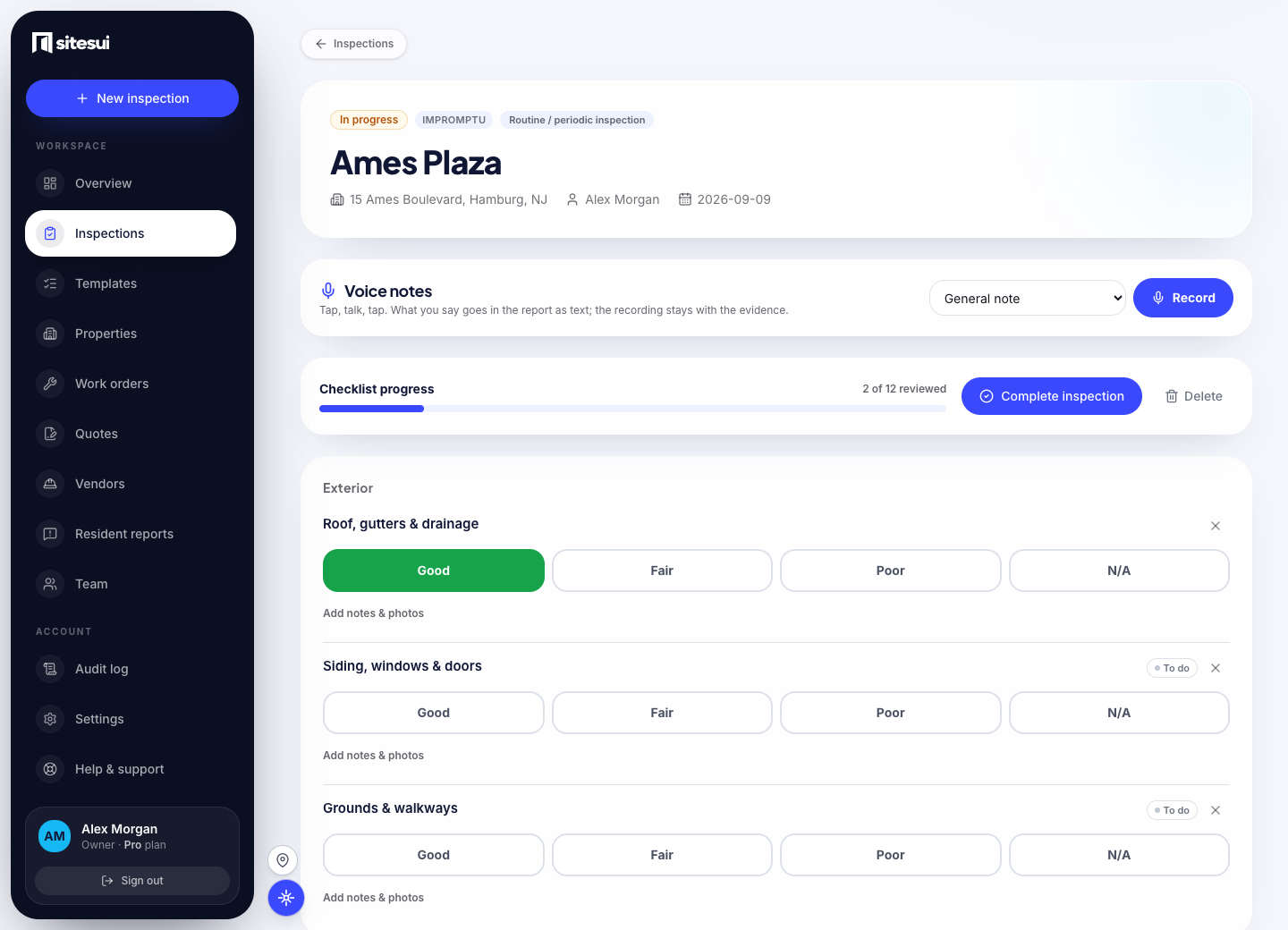
Complete an inspection to generate a branded PDF with conditions by area, notes, video links, and a photo appendix. Add signatures and share the record with your client.
- Your report branding
Add your logo, colors, and contact details. Free reports include a small Sitesui credit; paid plans remove it. - E-signatures
Inspector signs in-app; the client or resident signs on your phone or through a secure link on theirs — timestamped and printed on the PDF. - Move-in vs move-out
Compare two inspections side by side, with items that changed condition listed first. Bring a documented record to the deposit conversation. - Share, email, or export
Send a no-login link, email the PDF, or export a ZIP with the report plus every uploaded photo, video and signature. Give an owner or board one link to a property's whole inspection history.
Track the repair from the finding
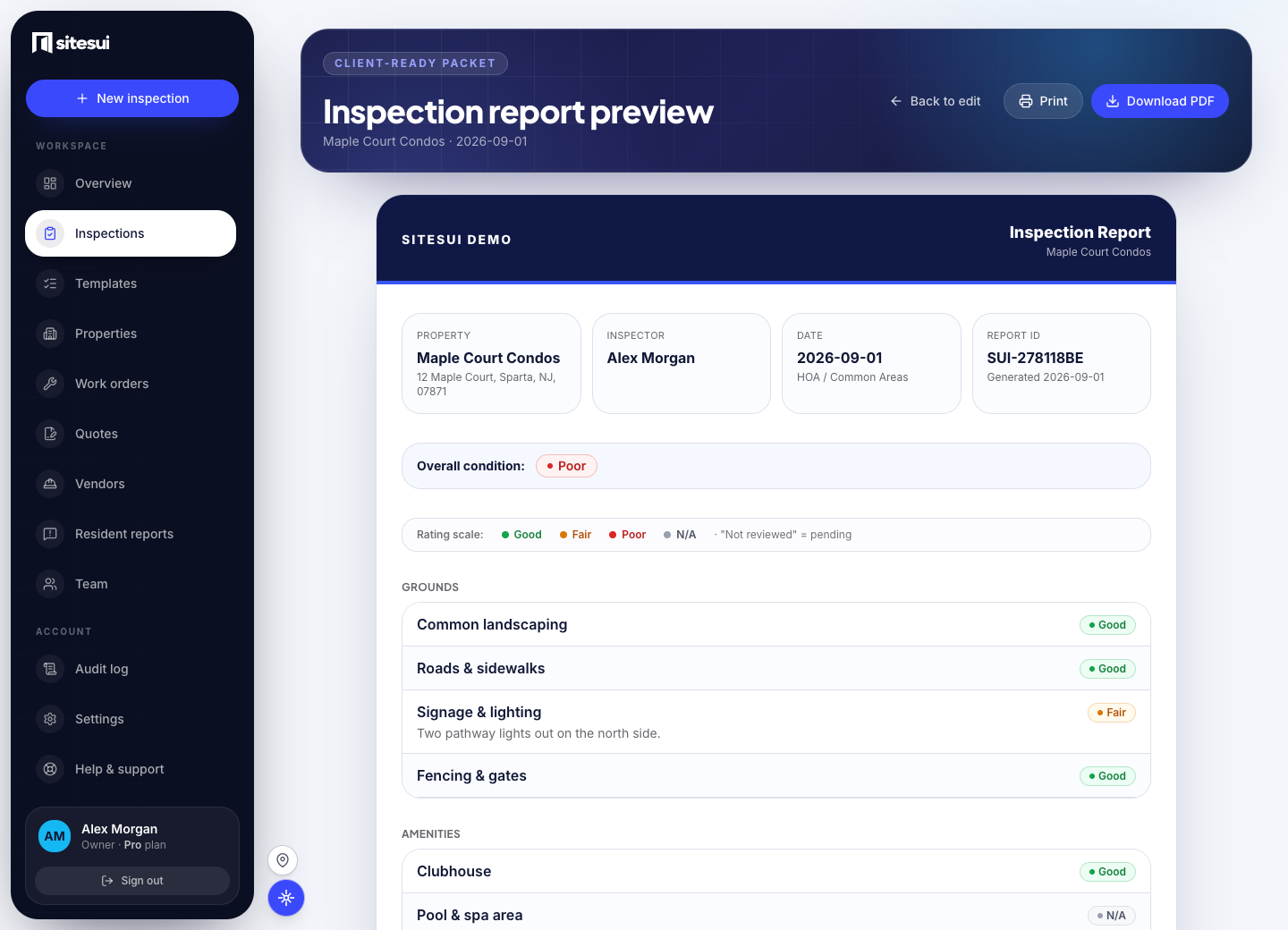
Create a work order from a flagged item. Set the trade, priority, assignee, and due date, then keep track of the repair’s progress.
- One-tap from a finding
A Poor-rated item becomes a work order without re-entering a thing. - Assign and prioritize
Set the trade (plumbing, HVAC, electrical), a priority, an owner, and a due date. - Tracked to done
Open, in progress, complete — a status every stakeholder can see, not a note in someone's inbox. - A documented trail
Keep the original finding, repair updates, and completion photos connected.
Let residents report what they see
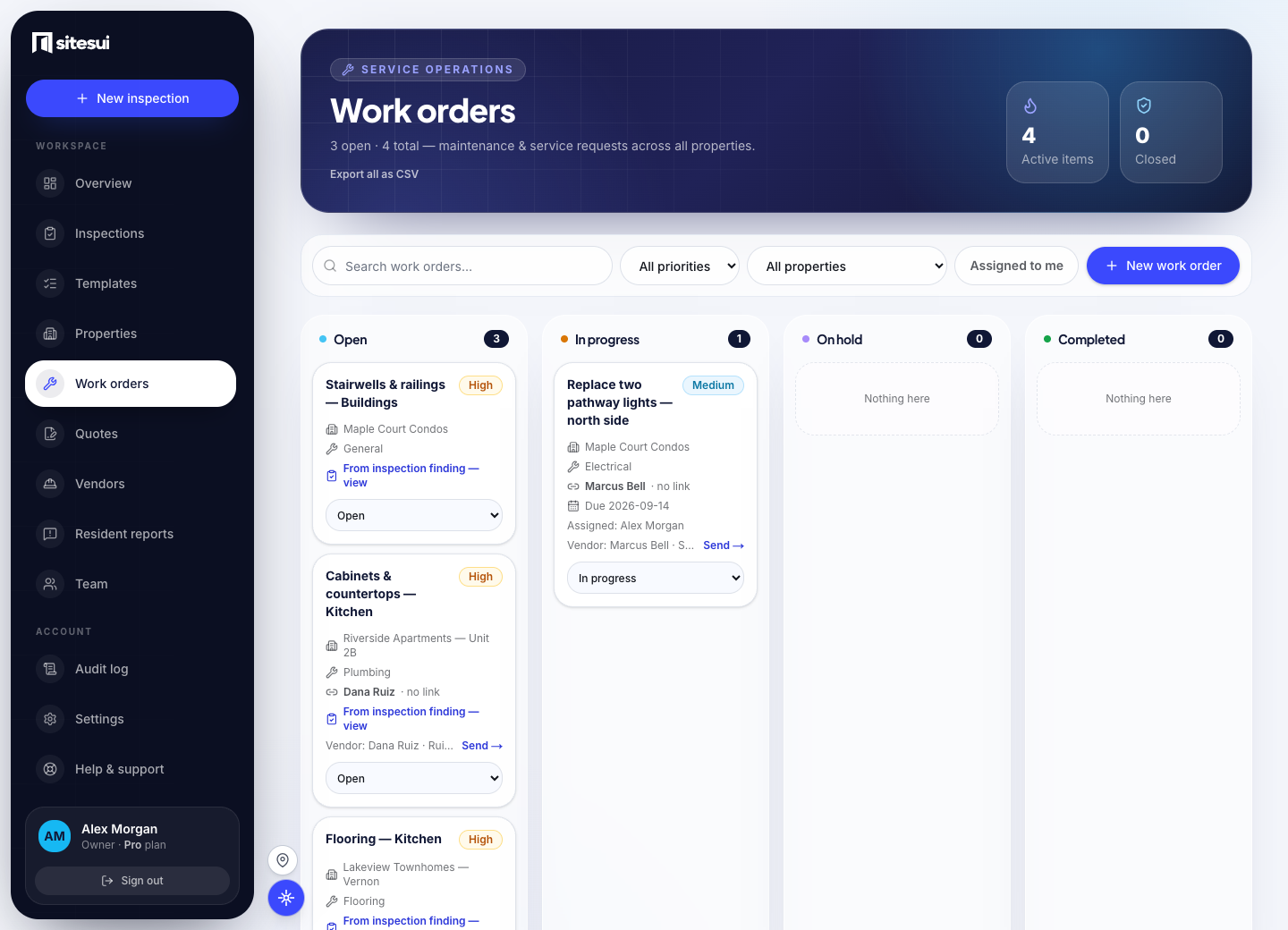
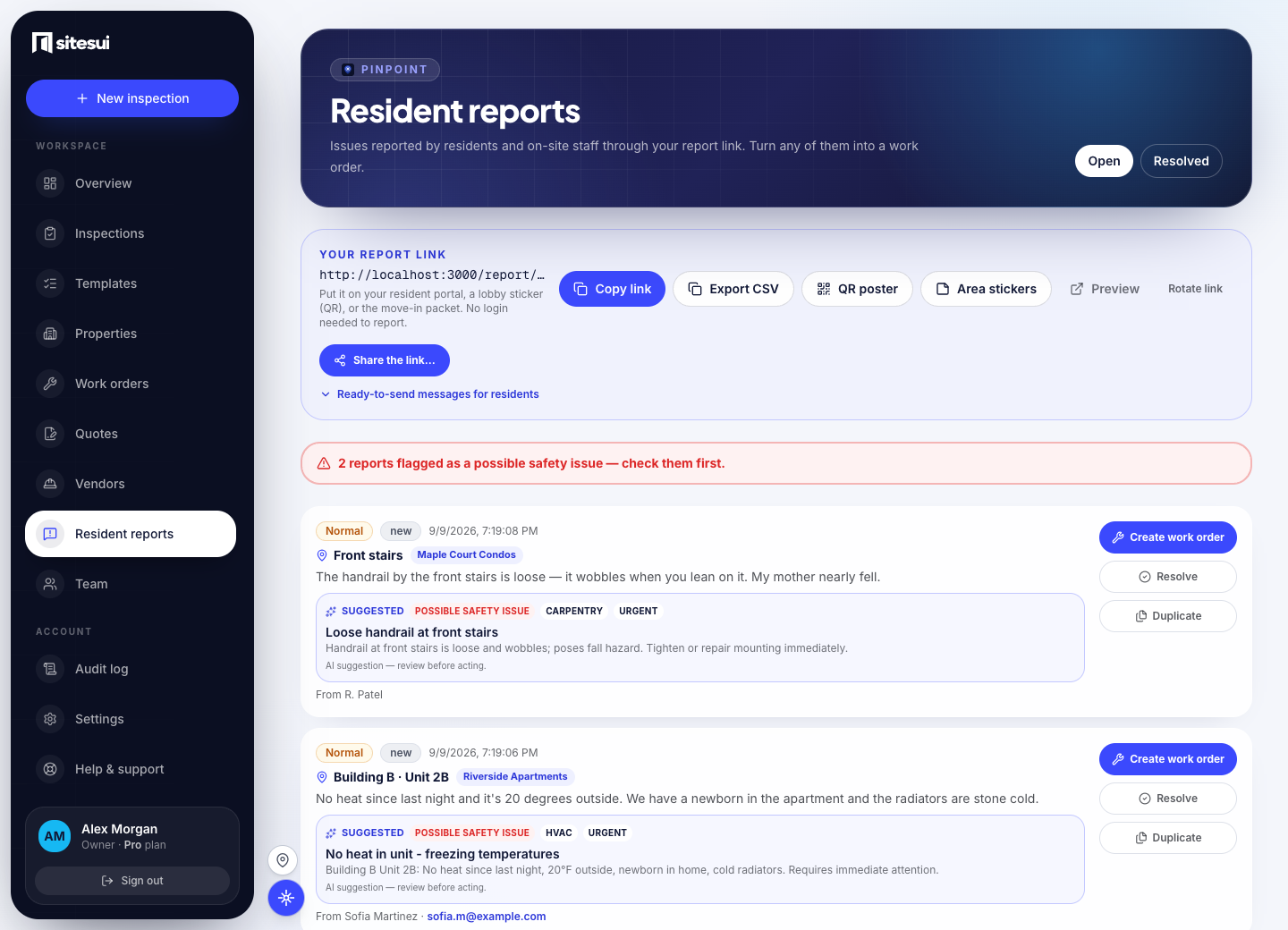
Between formal inspections, the people who live there see problems first. Give them your Pinpoint link or QR poster: they describe where and what, rate the urgency, add a photo — and it lands in your inbox, one tap from a work order.
- A link, a poster, or per-area stickers
Your branded report page, no app and no login. Share the link, print the lobby poster — or print per-area QR stickers: the sticker on the boiler-room door pre-fills the location, so a resident just adds a photo and taps send. - Location, photos, urgency
Every report says where it is, what's wrong, how urgent (low / normal / urgent) and can include up to 5 photos — plus an optional GPS pin, so "building B" becomes a map link. - One inbox, sorted
Open and resolved views, urgency at a glance, the reporter's contact if they left one — and a photo you can act on. Residents get a reference, a status page, and a “we're on it” email the moment work starts — fewer “did you get it?” calls. - Into the same queue
Tap once and a report becomes a work order — the same pipeline as an inspector's finding, linked both ways.
The whole portfolio, from the office
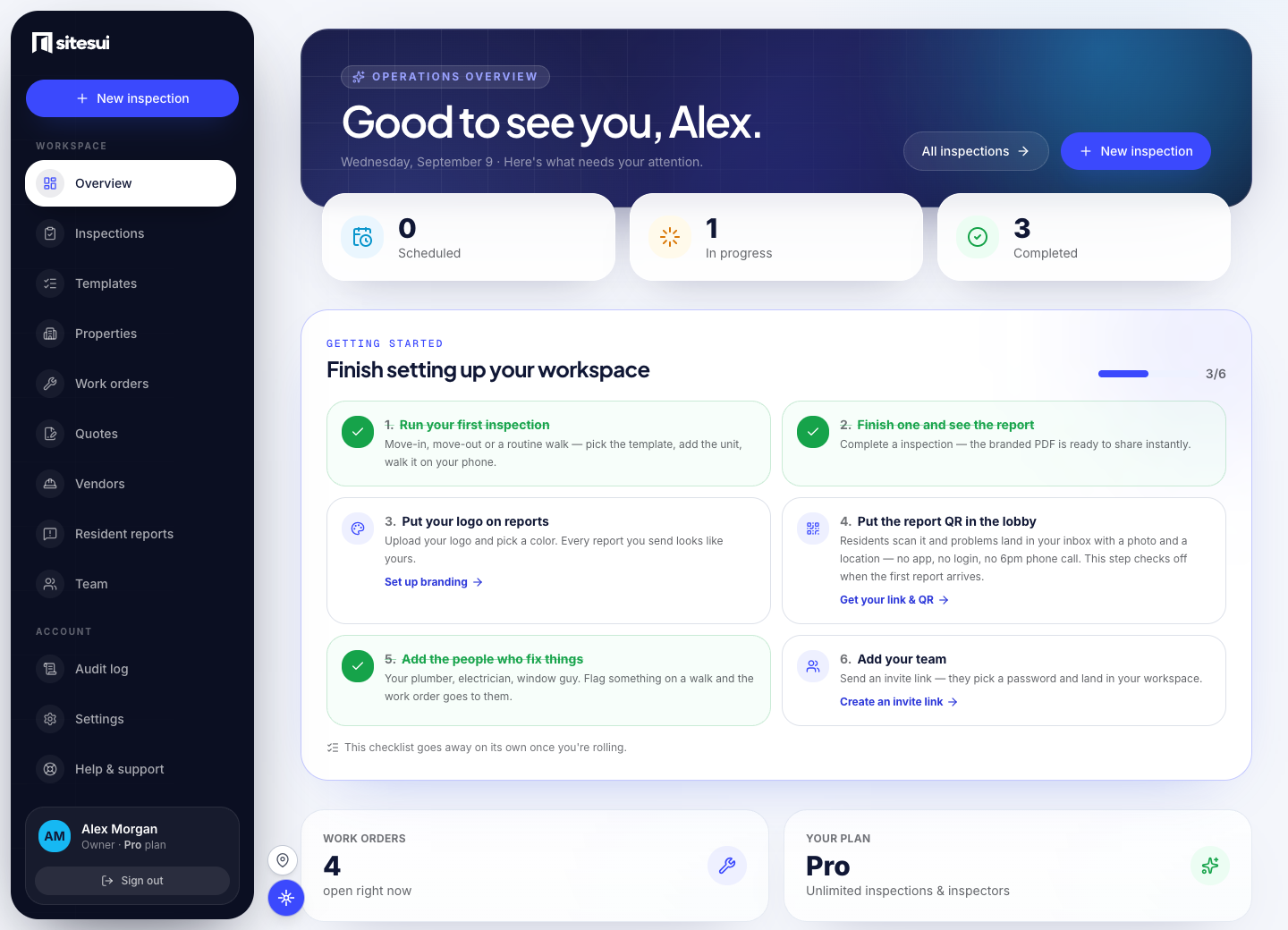
See what's been inspected, what failed, and what's still open across every property — updated the moment an inspector taps submit. Keep documents, notes, and the right manager attached to each property.
- Live operations dashboard
Open inspections, recent activity, and overdue work at a glance. - Property hub
Documents, messages, and manager assignment attached to every property. - Unlimited inspectors
Invite your whole team into one workspace on Pro. Everyone sees your properties; nobody outside does. - Notifications
The right people hear about a blocker or a finished report — automatically.
Every capability
One page for each thing it does.
- Inspections
A walkthrough that keeps up with you
- Reports
A clear record of the inspection
- Work orders
Track the repair from the finding
- Pinpoint — resident reporting
Let residents report what they see
- Offline capture
Keep walking without signal
- Photo evidence
A photo that holds up in a dispute
- Voice notes
Say it instead of typing it
- Templates
The same checklist on every visit
- Scheduling
Routine walks that do not slip
- Quotes
Know the price before the work starts
- Owner and board links
The board opens a link, not an account
- Approval and revisions
Nothing goes out unreviewed
- Team and regions
The right people see the right sites
- Data in and out
Your data goes in easily and comes out whole
- Properties & dashboard
The whole portfolio, from the office
- Spanish
The people in the field read it in their language
- Violations
A violation drive with a paper trail
- Board packet
Walk it once; the board packet follows
Your next inspection. A better way to do it.
Start with 3 inspections a month, free. Bring your checklist, walk the property, and see the report for yourself. No credit card required.
Free: 3 inspections a month on up to 3 properties, no card. Paid plans from $29/month, one flat price for the whole workspace. Pricing